This article is a recap of my experience after several years of testing home theater and presentation projectors at our iXBT lab. You will find no advice here as to what models and what manufacturers you should prefer (photos and models mentioned in this article are published just to illustrate the principles). There are many reasons for that. First of all, any opinion reflects the subjective point of view of authors, whose values and criteria may be different from those of a future user. Secondly, it's impossible to test all existing home theater projectors. Thirdly, we believe that users should make their reasonable choices based on market analysis, reviews, product comparisons from trustworthy sources, and preferably after seeing a product in action in what conditions they intend to use it. Better still, they should run their own comparative tests of several products. Fortunately, companies that sell projectors usually offer viewing rooms.
We plan to update this article as the market situation changes, technologies develop, and we get new test data. The main objective of this article is to give our readers an idea of projector types and what technologies they use. We'll also cover characteristics of projectors and determine their importance for a home theater projector.
Many people (including us) think that it's more pleasant to watch movies using a projector. A large screen and dark room help you lose yourself in a movie -- nothing distracts you from what's happening on the screen, installed far from a viewer, but taking up most part of the viewing area.
TV set vs projector
Let's consider pros and cons of a projector versus flat-panel displays -- plasma and LCD TV sets. (CRT and projection TV sets are beyond the scope of this article).
Projector pros:
- Excellent screen size/price ratio.
- A projector with a screen may take up less room and weigh less than a TV set with the same panel size.
Projector cons:
- You have to watch it in the dark.
- The room should be prepared to obtain better results.
- The second component is required -- a screen.
- Installation is required.
- The cooling system is noisy.
- You have to replace the lamp from time to time.
Projectors require the room to be dark, because light that hits the screen from an outside source or reflected from light surfaces has a terrible effect on contrast and color rendition. Ideally, the walls and the ceiling must be dark, and curtains on the windows should be impervious to light.
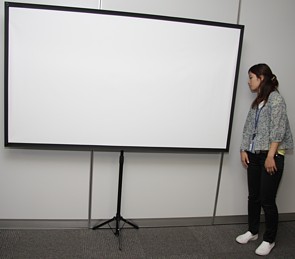
The second important component is a screen. There is a wide choice here -- from inexpensive tripod and pull down screens...
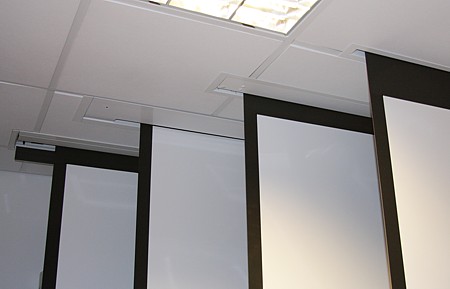
...to products with electromechanical drives priced similarly to entry-level projectors.
You can always resort to a bedsheet and pegs, of course. In fact, how to choose a proper screen is a topic for a separate article. As for now, we'd like to mention one point: in our opinion you shouldn't buy a reflection-type screen for a home theater projector, as common matte screens provide a more natural looking picture.
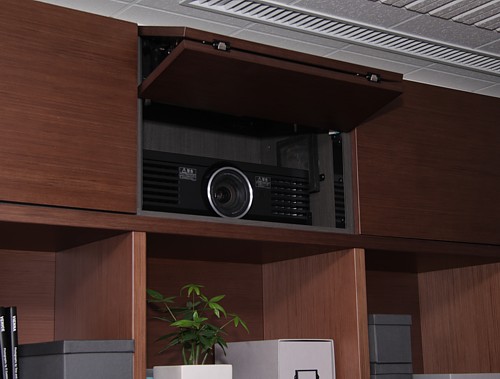
A projector and a screen should be aligned in space. There are a lot of installation options -- you can put a projector on a table/shelf, or you can mount it with a ceiling bracket.
Besides, there exist luxury systems with a hatch on the ceiling and an electromechanical drive.
Projectors are equipped with an active cooling system -- noisy and collecting dust on its filter. Perhaps, in future we'll have fanless projectors with LED light sources. However, light flux of such projectors is too weak now, which limits their usage. Theoretically, you can install a projector behind a soundproof wall (putting it inside a box is out of the question -- it may grow overheated), but a better solution is to choose a low-noise model. However, practically all modern theater projectors come with relatively quiet cooling systems, so their noise is dampened by any sounds from a movie, no matter how quiet.
Projectors require periodic maintenance -- clean lenses, brush or replace filters. What frightens most users, you sometimes have to replace the lamp, which is quite expensive. But let's do the sums. If you watch one movie each day (approximately 1.5 hours long), then one lamp will last 3.5-7 years (as the typical service life of such a lamp is 2000-4000 hours). Of course, a lamp may go off-line too early -- it happens, but it's rare.
Write a comment below. No registration needed!